 For Mac
Teleprompter
Your words. Your own pace.
Keep your script close to the camera and your attention on what you’re saying. A native Mac teleprompter with auto-scroll, voice-follow, and a library for your next take.
Take a lookPublic preview. Built for macOS 26+ on Apple silicon MacBooks.
 View on GitHub
Explore the public preview
Stay close to the camera
A floating reading panel sits below your MacBook’s built-in camera, keeping your words near your eye line.
Set your own pace
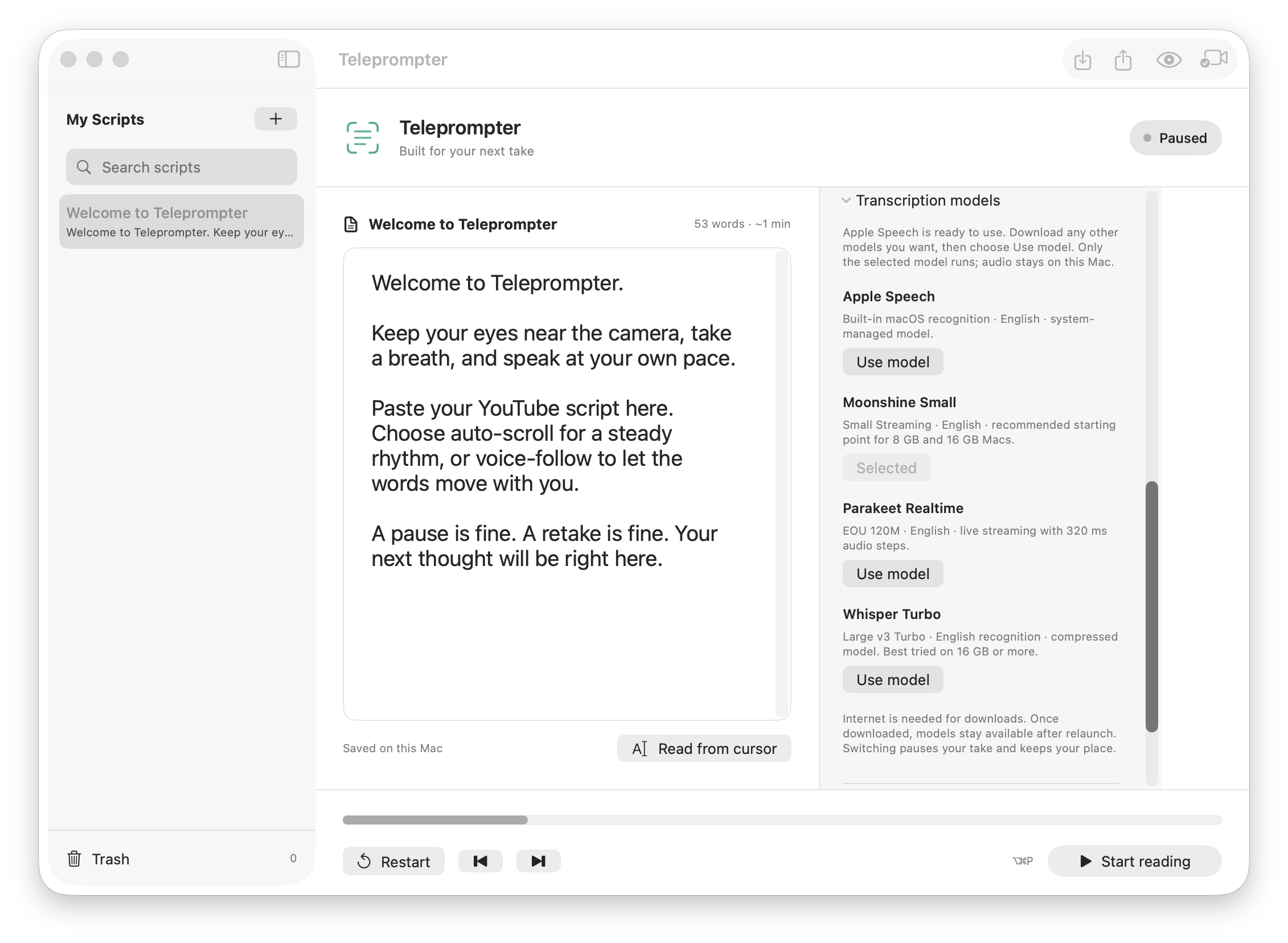
Choose a steady auto-scroll speed or let on-device voice-follow move with you. Apple Speech is the default.
Keep your next take ready
Save, search, import and export scripts in your local library. Your scripts and reading positions stay on your Mac.
A closer look
Made for your day.
Actual app screens.
A look inside the Mac app.
Public preview. Built for macOS 26+ on Apple silicon MacBooks.
Before your next take.
Teleprompter runs on macOS 26 or later on an Apple silicon MacBook with a built-in display. Voice-follow uses microphone permission and processes recognition on your Mac. Optional speech models require a download.
Use it alongside your recording app. Teleprompter provides your script; it doesn’t record video.
Need a hand?
Questions, feedback, or something that’s not working. Get in touch.